
Here’s something that happens more often than people admit.
You need to know exactly how many days are between two dates. You open a calendar. You start counting. You lose track somewhere around week three, start over, and eventually write down a number you’re not fully confident in.
I’ve done this more times than I’d like to say — miscounted project deadlines, miscalculated employee notice periods, gotten a loan duration wrong by a full week. Every single one of those mistakes happened because I trusted manual counting when I should have used a proper tool.
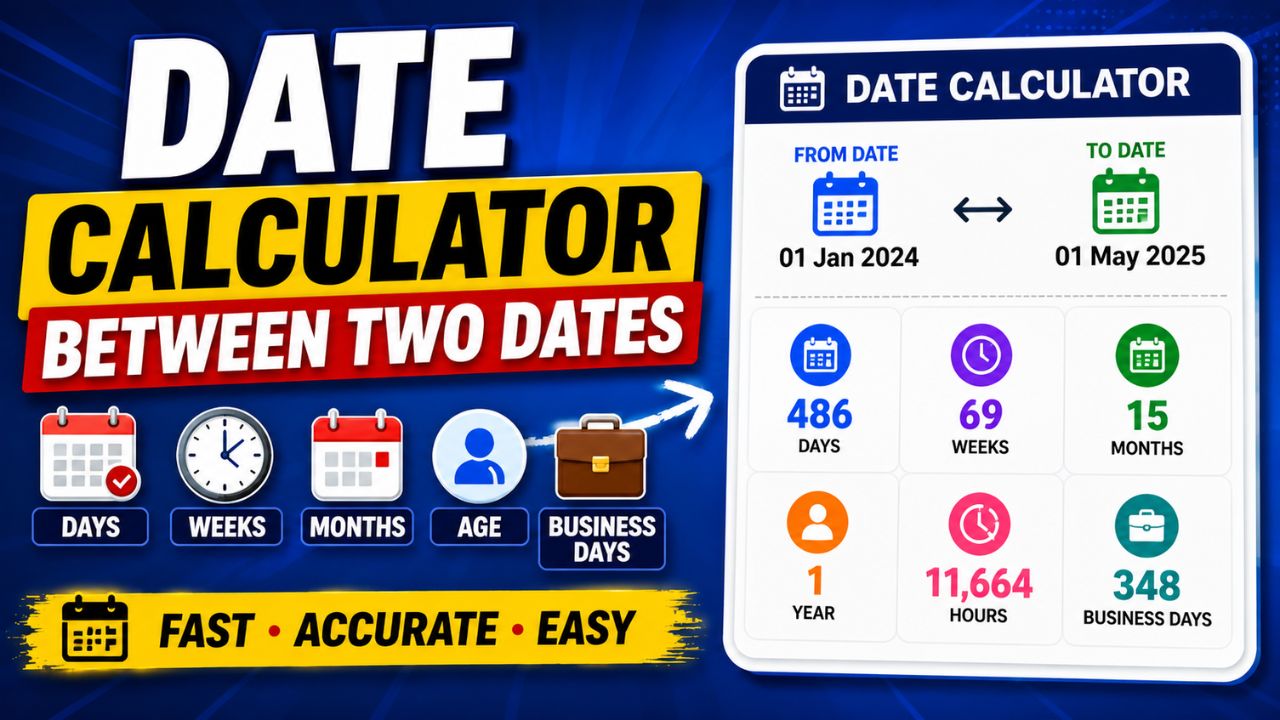
This Date Calculator Between Two Dates was built to fix that problem. It gives you exact results in seconds — not just total days, but weeks, months, business days, hours, countdowns, and age calculations too. This guide walks through every feature, explains when each one matters, and shows you exactly how to use it.
Why Manual Date Counting Fails More Than You Think
Most people assume date math is simple. Pick two dates, count the days in between. How hard can it be?
Pretty hard, actually — for a few specific reasons.
Months have different lengths. January has 31 days. February has 28 or 29. April has 30. If your date range crosses multiple months, the mental arithmetic compounds quickly. A calculation from March 15 to July 3 crosses four different month lengths. Getting that wrong by even two days can matter.
Leap years catch everyone. February 29th only exists every four years. If your date range includes a February in a leap year and you don’t account for it, your count is off by one. That one day has caused real problems in legal contracts, payroll calculations, and loan durations.
Business days are completely different from calendar days. A project deadline of “15 business days from today” is not the same as 15 calendar days. Weekends don’t count. Some people also exclude public holidays. Calculating this manually requires checking a calendar day by day — which nobody has time to do accurately when they’re in the middle of actual work.
Countdowns are surprisingly tricky. How many days until your event? You’d think this is just subtraction. But do you count today? Do you count the event day itself? Different contexts call for different answers, and getting it wrong means your countdown is off by a day or two.
The Date Calculator Between Two Dates handles all of these automatically. You pick the dates, choose your calculation type, and get exact numbers without any of the mental gymnastics.
What This Tool Actually Calculates
Before I walk through the features, here’s the full picture of what the calculator gives you — because it’s more than most people expect.
Day Difference — The Core Function
The most-used feature. Enter two dates and get the exact number of days between them.
Sounds basic, but the accuracy matters more than people realise. A contract that runs “from January 1 to December 31, 2025” covers exactly 364 days — not 365, because you’re measuring the gap between those two dates, not including both endpoints. Whether the end date is included or excluded changes the count by one day, which in legal or financial contexts can actually matter.
The calculator handles this precisely. No ambiguity.
Countdown Calculator — How Long Until Something Happens
This is the feature I personally use most.
Pick a future date — an event, a deadline, a birthday — and the calculator tells you exactly how many days, hours, and minutes remain from right now. It updates to the current date automatically, so you don’t need to manually adjust it every time you come back.
I use this for client project deadlines. When you see “47 days remaining” instead of a date on a calendar, it creates a completely different sense of urgency. Dates feel abstract. Day counts feel concrete.
Useful for:
- Product launch countdowns
- Exam preparation schedules
- Wedding or event planning
- Contract expiry reminders
- Subscription renewal dates
- Travel departure planning
Age Calculator — More Precise Than You’d Expect
This goes well beyond “how old am I in years.”
Enter a birthdate and today’s date (or any reference date), and the calculator returns:
- Exact age in years, months, and days
- Total months lived
- Total weeks lived
- Total days lived
That last one is surprisingly interesting — most people have no idea how many days old they are. More practically, the precision matters in contexts where approximate age isn’t enough.
Where exact age matters:
- Pediatric medical forms requiring age in months
- School enrollment cutoff calculations (is a child old enough by September 1?)
- Insurance applications with age-based eligibility
- Official documents requiring age as of a specific date, not today
- Pension and retirement calculations based on exact service duration
Business Days Calculator — The Professional’s Most Needed Feature
This one saves real time in workplace settings.
Standard day difference calculations include Saturdays and Sundays. Business day calculations don’t. If someone asks “how many working days until the deadline?” and you give them a calendar day count, you’ve given them the wrong answer.
Enter your two dates, select the business days option, and the calculator returns only weekdays — no Saturdays, no Sundays. For workflows where delivery time, processing time, or payment terms are expressed in business days, this is the number you actually need.
Who uses this most:
- HR managers calculating notice periods or leave durations
- Freelancers tracking billable working days on a contract
- Project managers setting realistic delivery timelines
- Procurement teams calculating supplier lead times
- Finance teams working out payment processing windows
- Logistics coordinators estimating shipping windows
Multiple Time Unit Conversion — Days to Everything Else
Sometimes you need the difference expressed differently.
A date range of 180 days is also roughly 25.7 weeks, about 5.9 months, 4,320 hours, or 259,200 minutes. The calculator converts automatically across all these units so you can express the duration in whatever format your situation requires.
When different units are actually useful:
- Weeks: project sprints, school semesters, exercise programs
- Months: lease durations, subscription periods, probation windows
- Hours: billing calculations, hourly service agreements
- Minutes and seconds: event countdown displays, precision scheduling
How to Use the Calculator — Step by Step
The tool is designed to be immediate. No sign-up, no settings to configure. Here’s exactly how it works.
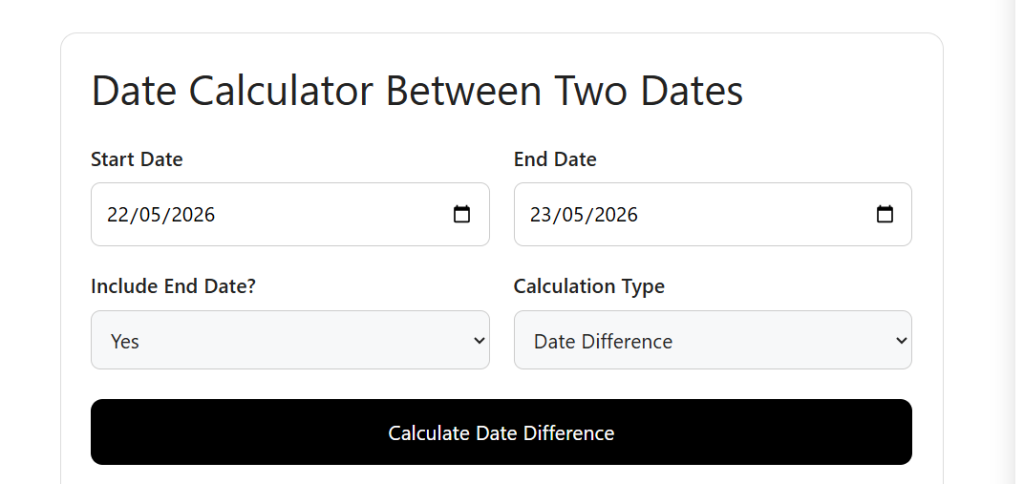
Step 1 — Select Your Start Date Click the start date field and either type the date directly or use the date picker. Use the date the period begins — for a project, that’s the kickoff date; for age, that’s the date of birth.
Step 2 — Select Your End Date Enter the ending date. For countdowns to future events, this will be a date ahead of today. For historical calculations — how long something lasted — this might be in the past.
Step 3 — Choose Your Calculation Type Select what you need:
- Date Difference — total gap between the two dates
- Countdown — time remaining until the end date from today
- Age Calculation — precise age from birthdate to reference date
- Business Days — working days only, excluding weekends
Step 4 — Generate Results Click Calculate. The result appears instantly with the difference broken down across multiple time units — days, weeks, months, years, hours.
Step 5 — Read the Right Number for Your Context The calculator returns several figures. Use the one that fits your situation. If you’re answering “how long is this contract?” — use months or days. If you’re calculating “when is this person eligible?” — use the exact years, months, and days breakdown.
A Real Example — January 1 to December 31, 2025
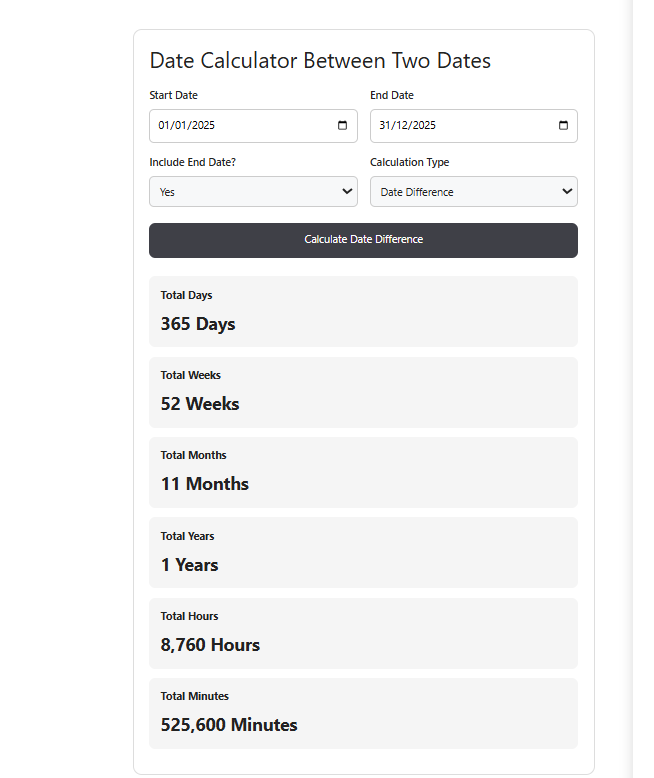
Let me walk through what the calculator shows for a full calendar year calculation.
Inputs:
- Start Date: January 1, 2025
- End Date: December 31, 2025
- Calculation Type: Date Difference
Results:
| Time Unit | Result |
|---|---|
| Total Days | 364 |
| Weeks | 52 weeks |
| Months | 11.9 months |
| Hours | 8,736 hours |
| Minutes | 524,160 minutes |
Note: the result is 364 days, not 365 — because the calculator measures the gap between January 1 and December 31, not the count of days including both endpoints. If you need to include the end date (common in subscription periods and contract durations), the total becomes 365 days. The calculator lets you choose.
That single option — include or exclude end date — is the kind of precision that matters in contracts, lease agreements, and payment terms. Most basic date calculators don’t offer it.
Business Days vs Calendar Days — Why the Difference Matters
This is probably the most misunderstood distinction in date calculations, and it causes real problems in professional settings.
| Calendar Days | Business Days | |
|---|---|---|
| Counts weekends? | Yes | No |
| Counts Saturdays? | Yes | No |
| Counts Sundays? | Yes | No |
| Example: 10 days from Monday | Ends Wednesday (next week+2) | Ends Friday (same week+2) |
| Best for | Event planning, age, personal timelines | Contracts, payroll, shipping, HR |
A real example: a supplier quotes “delivery in 10 business days.” If you count 10 calendar days from a Monday, you land on Thursday of the following week. If you count 10 business days, you land on Monday of the week after that — three days later. That difference matters when you’re planning inventory or setting customer expectations.
Always use business days when the context is professional or contractual. Always use calendar days when the context is personal.
Who Actually Needs This Tool Day-to-Day
I’ve described specific features above, but let me be practical about who reaches for a date calculator regularly and why.
Students and teachers use date calculations constantly — how many days until exams, how long a semester runs, whether an assignment window is 14 days or 10 business days. Having an accurate tool takes the guesswork out of academic scheduling.
HR professionals deal with date math on almost every employee action — start dates, probation periods, notice periods, leave calculations, contract renewals. Getting these wrong has real consequences. A notice period that should be 30 calendar days is different from 30 business days, and the wrong interpretation can create legal exposure.
Freelancers and project managers need to set deadlines that are realistic and defensible. “This project runs 45 business days” is a specific, trackable commitment. Calculating that from a start date without a tool is genuinely tedious.
Event planners track countdowns for multiple events simultaneously. Weddings, corporate conferences, product launches — each has a date, and knowing exactly how many days remain shapes everything from vendor bookings to marketing timelines.
Healthcare workers use age calculations regularly — exact age in months for pediatric dosing, gestational age calculations, treatment duration tracking. Approximate ages aren’t acceptable in clinical contexts.
Finance and legal professionals deal with loan durations, contract terms, grace periods, and filing deadlines. A day’s error in a legal document can have consequences. Precision is non-negotiable.
Travelers planning long trips want to know exactly how many days they’ll be away, whether their visa duration covers the trip, and how many days remain on a multi-entry visa.
Practical Tips for Getting Better Results
These aren’t obvious and make a real difference.
Know whether you want to include the end date before you start. This is the single biggest source of confusion in date calculations. A subscription that runs “from January 1 to January 31” — does January 31 count as a day of service? In most subscription contexts, yes. In a legal “number of days from signing” context, usually no. Decide first, then calculate.
Use business days for anything contractual. Default to business days whenever a date range involves professional obligations, payment terms, or deliverables. Calendar days are almost always the wrong choice in those contexts.
For age calculations, use the exact birthdate, not an approximate one. If you’re calculating for a medical form or official document, a birthdate of “around March” will give you a useless result. The tool is only as accurate as what you put in.
Run the calculation twice if precision really matters. For high-stakes situations — legal filings, financial deadlines, contract terms — calculate once with the end date included and once without. Note both numbers and use the one that matches your contract’s or jurisdiction’s convention.
Use the hours output for billing calculations. If you charge hourly and a project runs between two dates, the hours figure tells you the maximum billable hours in that window (assuming 24-hour days). Divide by your working hours per day for a realistic workday count.
The Include/Exclude End Date Option — Why It Exists
This feature confuses people when they first see it, but it’s actually important.
Imagine a rental agreement that runs from June 1 to June 30.
- Excluding the end date: the duration is 29 days
- Including the end date: the duration is 30 days
Both are technically correct depending on how the agreement is worded. “30 days of use” starting June 1 means the last day of use is June 30 — so June 30 is included, giving you 30 days total. “From June 1 to June 30” measured as a gap gives you 29 days.
Legal contracts, lease agreements, and subscription terms often specify which convention applies. The calculator lets you match that convention exactly, rather than forcing you to add or subtract a day manually after the fact.
Common Mistakes People Make With Date Calculations
Confusing “days between” with “days including.” The gap between Day 1 and Day 3 is 2 days. But if you’re counting Day 1, Day 2, and Day 3 as active days, that’s 3 days. Different questions, different answers.
Forgetting leap years in long-range calculations. Any calculation spanning multiple years that crosses a February in a leap year will be off by one day if you don’t account for it. The calculator handles this automatically. Manual counting doesn’t.
Using calendar days when business days are what’s needed. Covered above — but worth repeating because it causes real problems in professional settings more than any other single mistake.
Calculating from memory instead of actual dates. “I started this project about six weeks ago” is not the same as knowing the exact start date. If the exact date matters, use the exact date.
Frequently Asked Questions
What is the Date Calculator Between Two Dates used for?
It calculates the exact time difference between any two dates — in days, weeks, months, years, or hours. It also includes a countdown function, an age calculator, and a business days calculator. Common uses include event planning, project management, HR calculations, age verification, and financial deadline tracking.
How is it different from just counting on a calendar?
Manual counting is prone to errors with leap years, different month lengths, and weekend exclusions. This tool handles all of those automatically and returns results across multiple time units simultaneously — something you simply can’t do quickly by hand.
Does the calculator account for leap years?
Yes, automatically. Any date range that crosses a leap year February is calculated with 29 days in that month, giving you an accurate total without any manual adjustment.
What’s the difference between calendar days and business days?
Calendar days count every day including weekends. Business days count only Monday through Friday, excluding weekends. If a deadline is expressed in business days, use the business days calculation — using calendar days will give you the wrong answer.
Can I use this as an age calculator?
Yes. Enter a birthdate as the start date and any reference date as the end date, then select age calculation. The result shows exact age in years, months, and days — plus total months, total weeks, and total days lived. This level of precision is useful for medical forms, school enrollment, and official documents.
Is the end date included in the calculation?
You can choose. The calculator includes an option to include or exclude the end date. This matters for contracts, subscriptions, and lease agreements where whether the final day counts as an active day affects the total duration.
Is the tool free?
Yes, completely free with no registration or account required.
Final Thoughts
Date calculations feel simple until they’re not. Leap years, business day exclusions, month length variations, include-or-exclude end date questions — these details are small individually and consequential in combination.
The Date Calculator Between Two Dates handles all of it in seconds. Whether you’re counting down to an event, calculating an employee’s exact tenure, figuring out business day deadlines, or just trying to know how many days are left in a project — the tool gives you an accurate answer with zero manual counting required.
For anything time-sensitive or contractual, accurate date math isn’t a convenience. It’s a necessity. Use the right tool for it.
About the Author
Sarah Mitchell has worked as a productivity and scheduling consultant for eight years, helping businesses and individuals manage timelines, project schedules, and operational deadlines. She writes about tools and systems that make time management more accurate and less stressful — because bad date math has real consequences that most people only discover after they happen.
Have a date calculation question or a specific use case this tool helped you with? Leave it in the comments — I read every one.